 Lumesson
Plans and pricing training template
A 20-minute course that teaches sales and support teams to match every customer to the right plan: three sample plans compared feature by feature, a sorting game, a sales chat to answer and the price questions customers ask most — then a quiz and a pricing toolkit. Play it below, then make it yours.
- 20 minto complete
- 13slides in 4 parts
- 3questions, 2 kinds
- SCORMxAPI · cmi5 · HTML5
Already have Lumesson? Open this template in the app
 Play the course
Take “Plans and Pricing Made Simple” as a learner
This is the real course, published from Lumesson as HTML5. Click through it, try every activity and take the test — nothing you do is recorded.
Open full screenWorks on phones and tablets too
13 slides in 4 parts
A free pricing training course for sales and support: three plans compared, a sorting game, a sales chat, price objections answered and a quiz. Play it now.
Introduction
2 slidesThe three plans
3 slidesFind the right fit
2 slidesPrice questions
6 slidesA look at the course
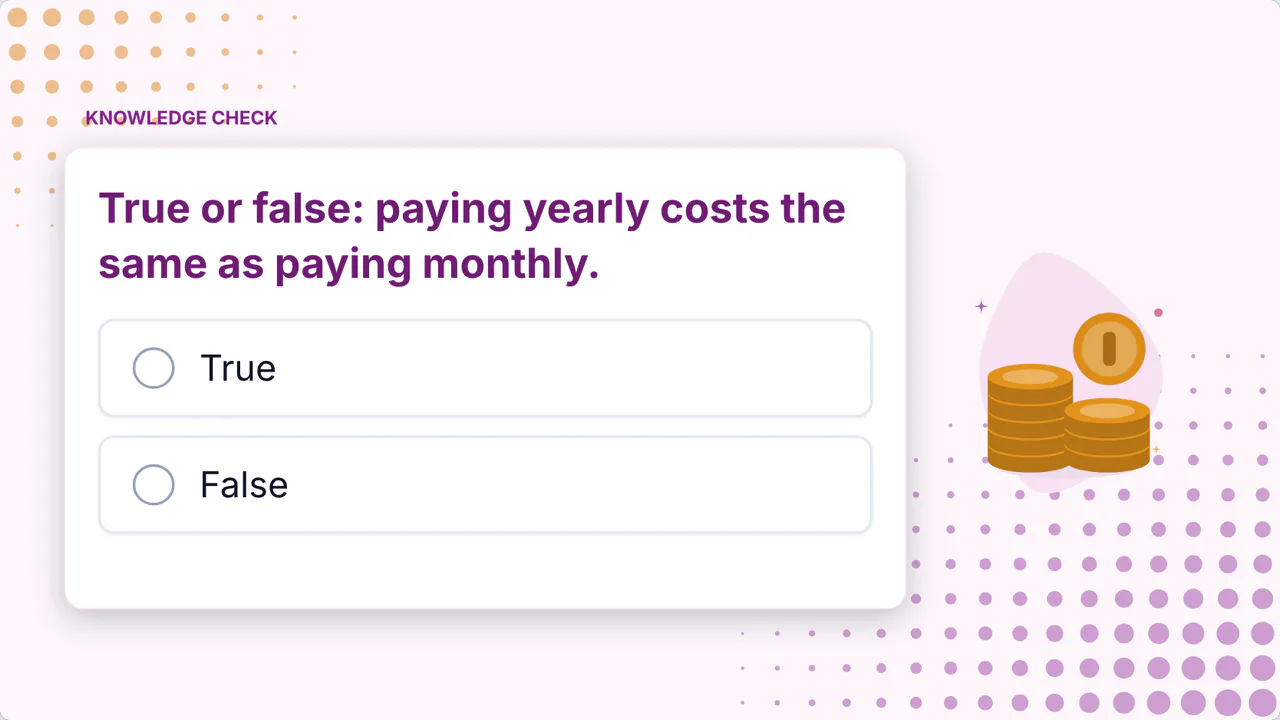
Learning by doing, not by reading
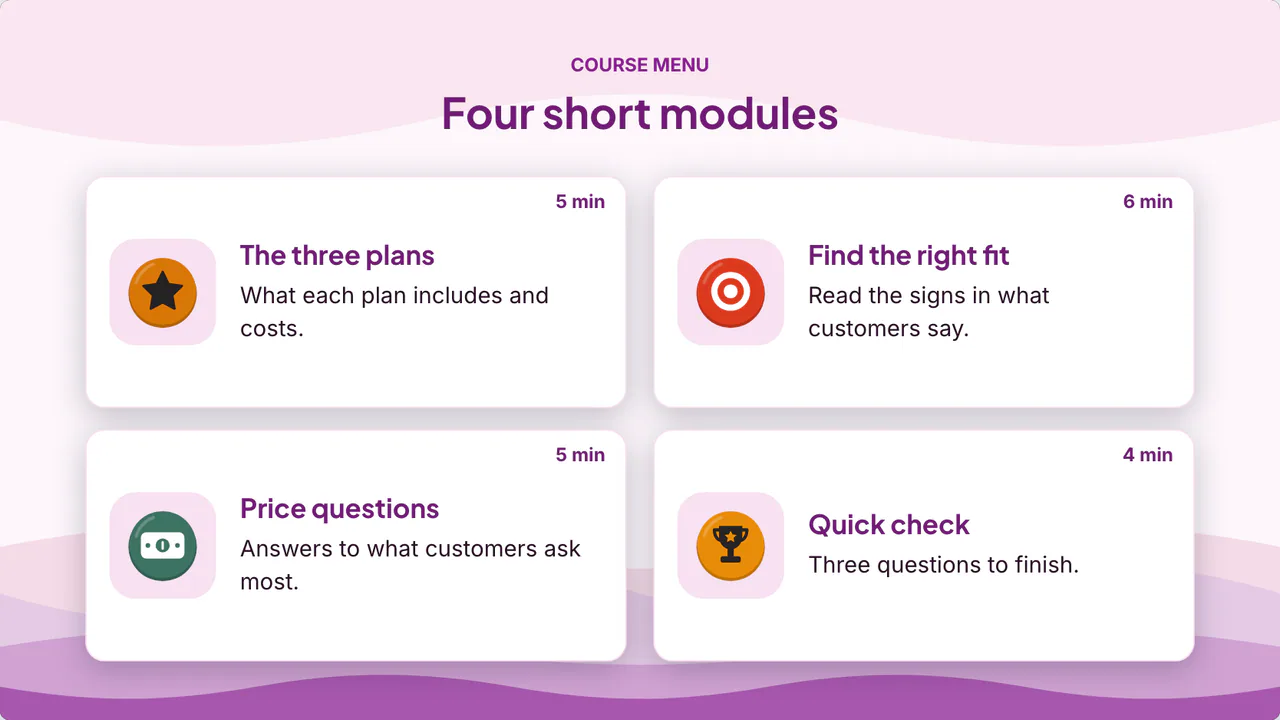
A course menu
Four short modules with their minutes — the plans, the right fit, price questions and a quick check.
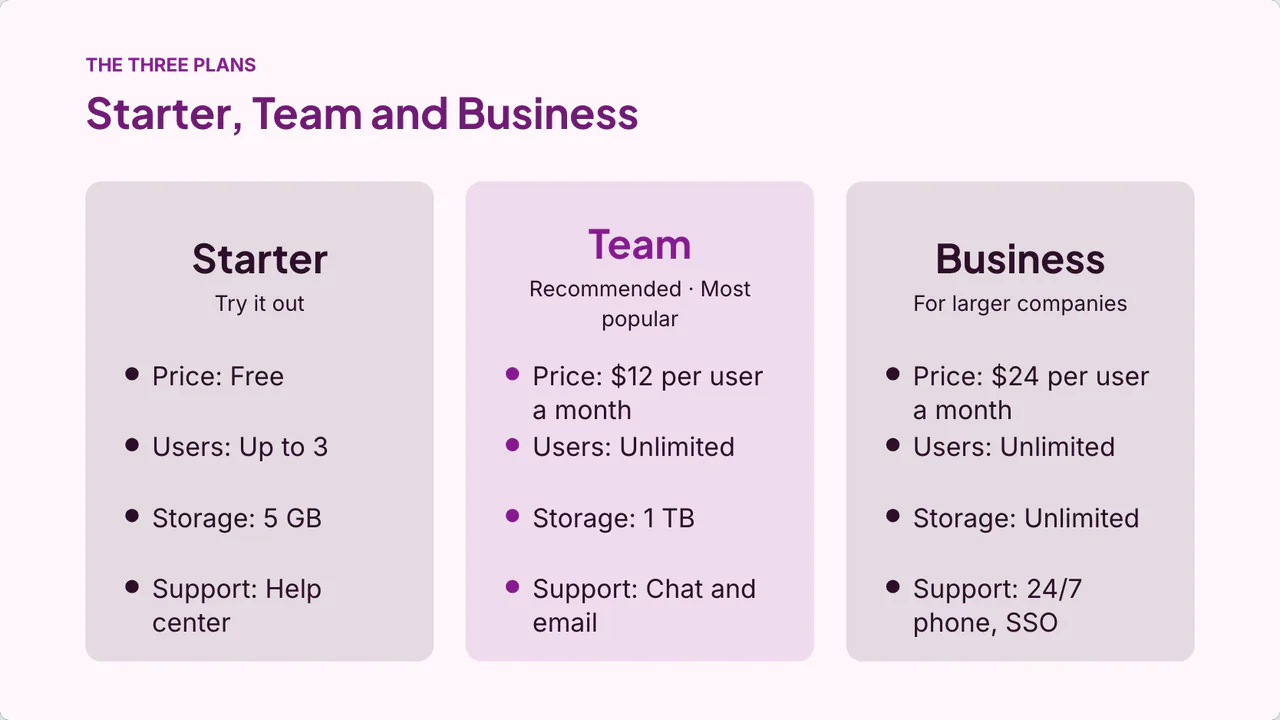
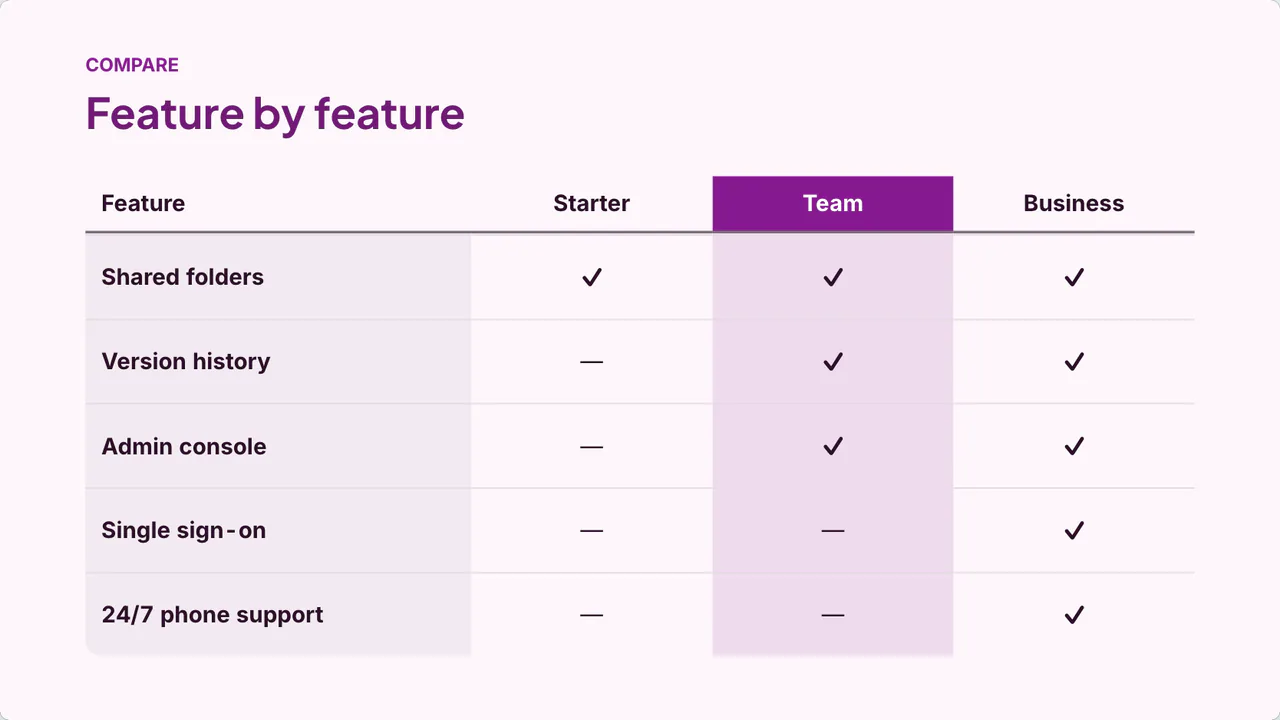
Three plans compared
Starter, Team and Business side by side on price, users, storage and support, then a feature-by-feature table.
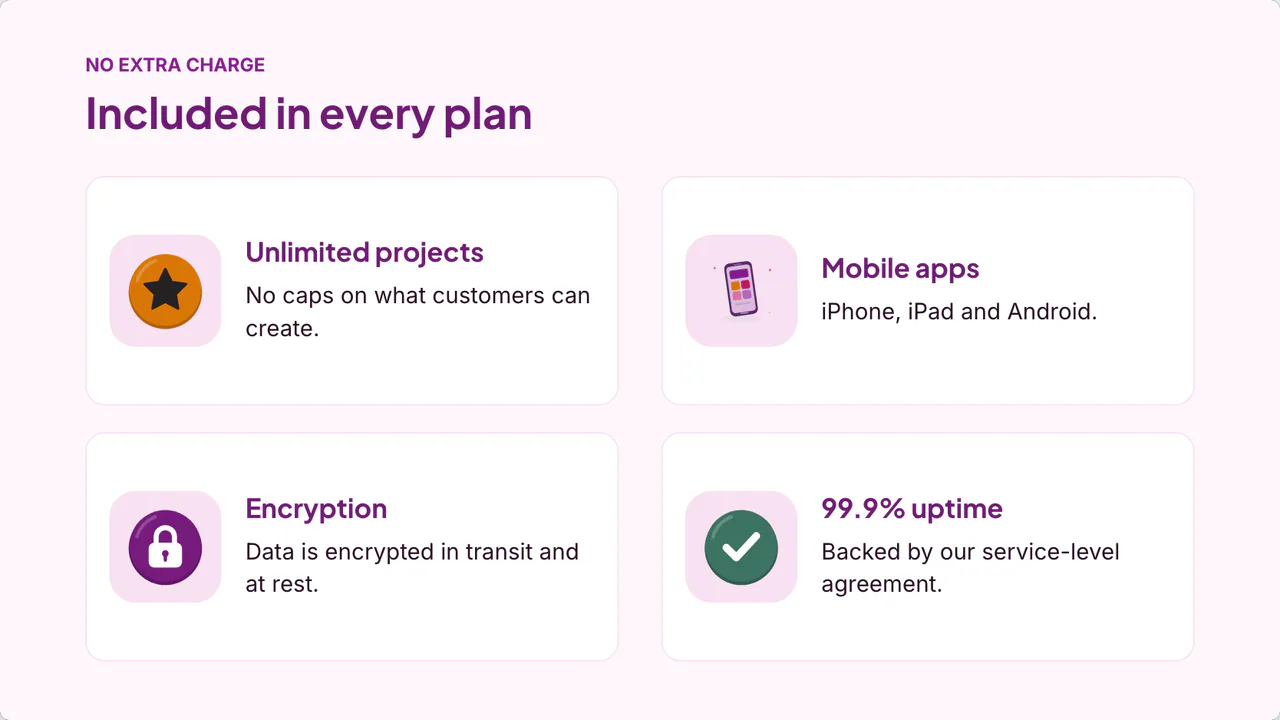
Included in every plan
Unlimited projects, mobile apps, encryption and 99.9% uptime: what never costs extra.
Team or Business?
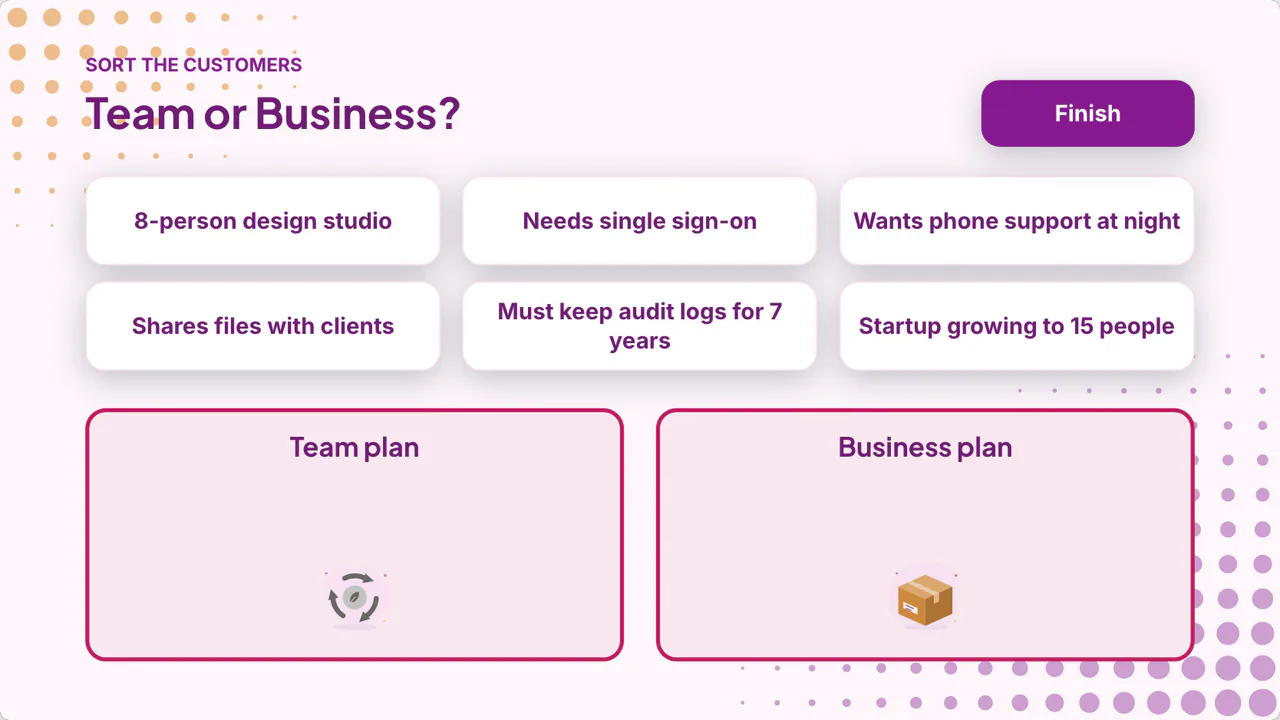
A sorting game: six customer needs, from an 8-person design studio to audit logs kept for 7 years, sorted into the right plan.
A sales chat
A 40-person company needs single sign-on and audit records. Is Team enough? Learners answer and see what each reply leads to.
Price questions answered
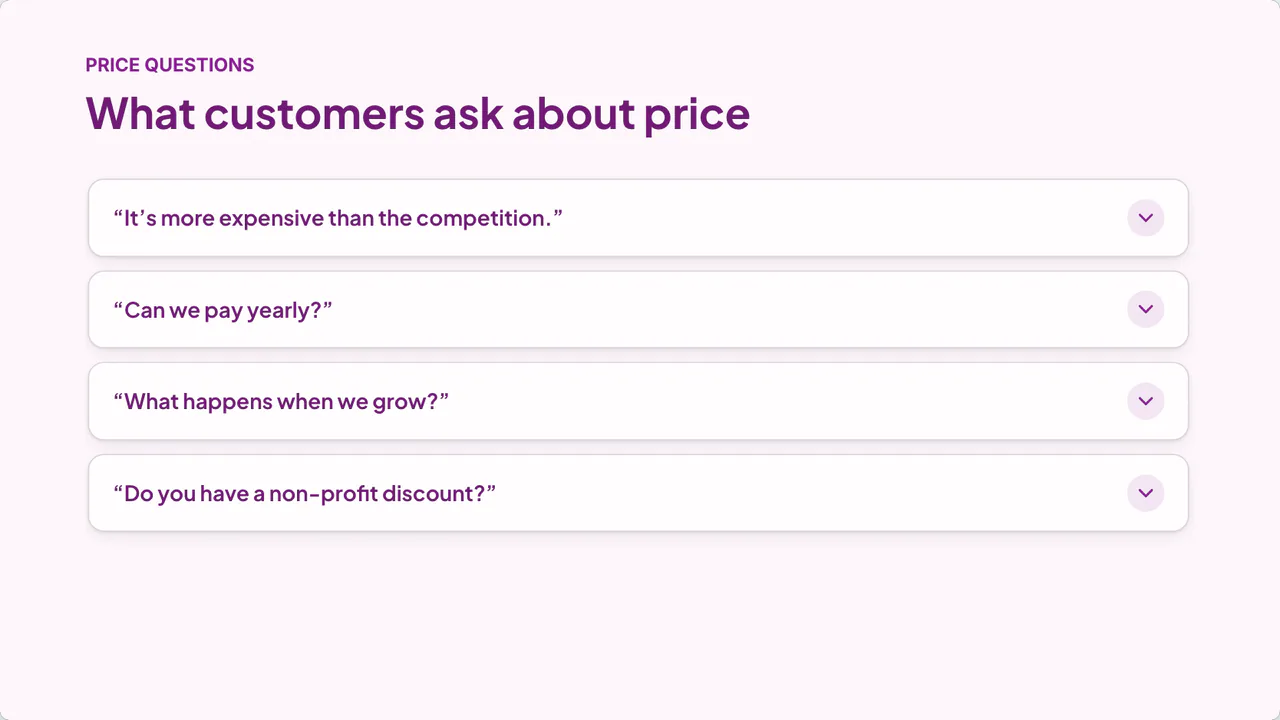
An accordion of four things customers say about price, each with an answer ready to use.
A quick check
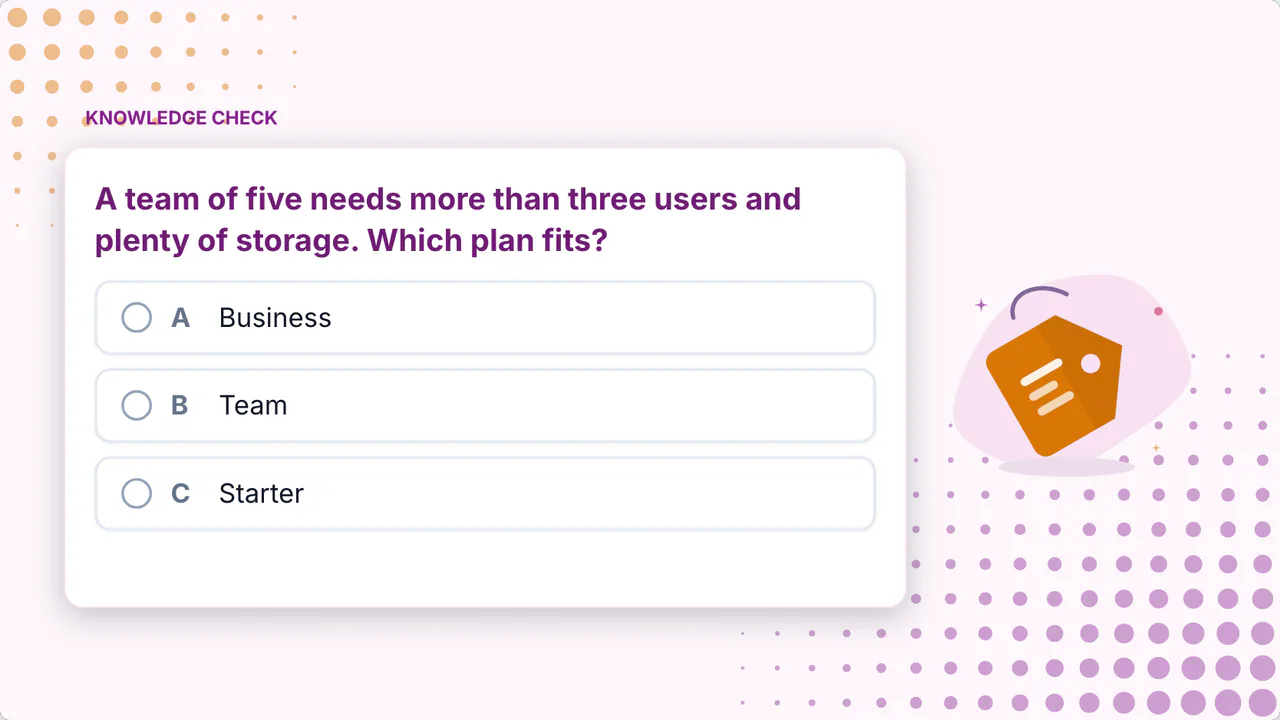
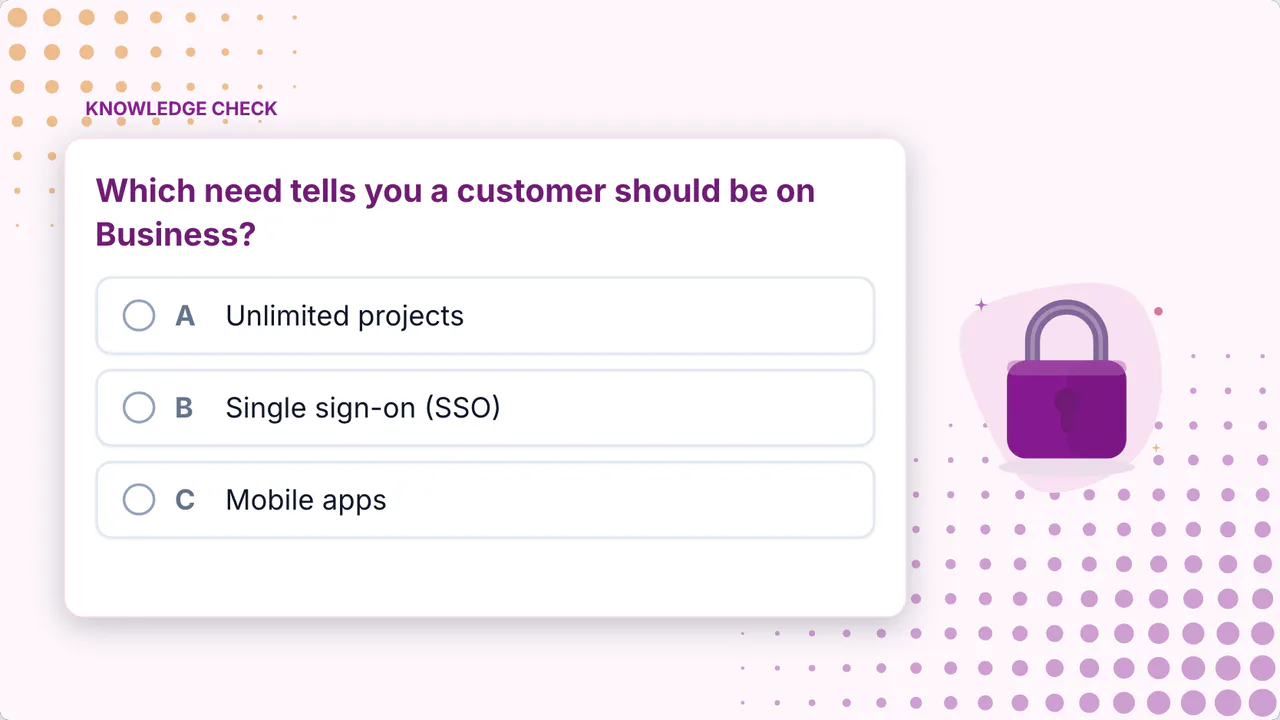
Three questions — two multiple choice, one true or false — with an 80% pass mark.
A pricing toolkit
Links to the price sheet, a plan comparison, a trial set-up guide and discount approvals, on the last slide.
After the course, learners can
- Explain what each of the three plans includes and costs
- Name what comes with every plan at no extra charge
- Read the signals in what a customer says — team size, single sign-on, audit logs, phone support
- Recommend the plan that fits instead of the most popular or the most expensive
- Answer the price questions customers ask most: competitors, yearly billing, growth and discounts
Made for
- Sales teams
- Recommend the plan that fits, explain the price and upgrade at the right moment.
- Customer support
- Answer billing and plan questions without passing the customer on.
- New hires in sales
- Learn the price list and the signals behind each plan in their first week.
- Pricing changes
- Retrain everyone fast when plans, prices or features change.
From template to your own course in minutes
Everything in the template can be changed in Lumesson — by hand, or by asking Lume AI.
- 1
Open it in Lumesson
Home ▸ Templates ▸ Plans and pricing. Every slide, question and picture can be changed — on the Free plan too.
Learn more - 2
Put in your price list
Ask the Assistant: “Replace Starter, Team and Business with our own plans from this price sheet, update the feature table and rewrite the sorting game for our customers.” It edits the real course and lists what it changed.
Learn more - 3
Link your own resources
Point the toolkit’s four links at your price sheet, comparison page and discount rules.
Learn more - 4
Put it in your brand
Pick a brand kit and your logo, colours and fonts go onto every slide at once.
Learn more - 5
Grow the quiz
Add questions from 20 question types, draw them at random from a bank, and set the pass mark and the number of tries.
Learn more - 6
Check it on a phone
One click gives every slide a phone layout, so people can check a plan before a call.
Learn more - 7
Publish to your LMS
SCORM 1.2 or 2004, xAPI, cmi5 or HTML5. Completion and the quiz score go to your LMS, so you can see who has learned the new prices.
Learn more
Plans and pricing: the details
| Length | About 20 minutes |
|---|---|
| Structure | 4 parts, 13 slides |
| Interactions | Accordion, Hotspot, Diagram, Table |
| Assessment | 3 questions: Multiple choice, True or false |
| Results | A results slide with the learner’s score and pass or fail |
| Publish to | SCORM 1.2, SCORM 2004, xAPI, cmi5, HTML5 — or a video, Word or PDF |
| Phones | A phone layout for every slide in one click |
| Language | English — translate the whole course with AI in one step |
| Editing | Every slide, picture, question and setting can be changed |
| Price | Free with Lumesson (the Free plan adds a small “Made with Lumesson” mark) |
Other courses to start from
 Product knowledgeProduct essentialsA free product knowledge training course: features into benefits, the range compared, three buyer types, objections, a customer chat and a quiz. Play it now.
 OnboardingEmployee onboardingA free employee onboarding course for a new hire’s first week: values, a buddy, the first 90 days, a first-day plan, a scenario and a quiz. Play it now.
 IT & softwareGetting started with a new appA free software training course for any new app: a screen tour, tasks on screenshots, click-on-the-screen practice, shortcuts and a graded quiz. Play it now.
Read more
From one sentence to a finished course: creating eLearning with AI
How to create an eLearning course with AI: write a goal that works, add your documents, approve the outline, then edit the course by asking.
Read the guideGuideWhat is microlearning? A definition, 10 examples and how to make it
What is microlearning? A clear definition, when it works and when it doesn’t, 10 microlearning examples, and how to design short lessons for phones and an LMS.
Read the guideGuideWhat is SCORM? SCORM 1.2, SCORM 2004, xAPI and cmi5 explained
What is SCORM? A plain-English guide to SCORM packages, SCORM 1.2 vs SCORM 2004, xAPI and cmi5: what each one tracks and which one your LMS needs.
Read the guideFrequently asked questions
Is this pricing training template free?
Yes. Every course template comes with Lumesson, including the Free plan, which has every authoring feature. Courses published on Free carry a small “Made with Lumesson” mark; a one-time Lifetime licence removes it.
Can I upload it to my LMS?
Yes. Publish it as SCORM 1.2, SCORM 2004, xAPI or cmi5 and upload the package to your LMS: it reports completion and the quiz score. You can also publish HTML5 for a website or intranet.
Are the plans and prices real?
No — Starter, Team and Business are sample plans with sample prices, so the course works for any business with tiered plans. Replace them with your own price list by hand, or ask the Assistant to do it across every slide.
Does it work for subscription and SaaS pricing?
Yes. It is built around per-user monthly plans, yearly billing, a free tier, a trial and a non-profit discount — the questions SaaS and subscription teams hear every day.
What do I do when our prices change?
Edit the comparison, the feature table and the questions, then publish again. In your LMS, replace the package or assign the updated course to the team.
How long does the course take?
About 20 minutes: four short modules of 4 to 6 minutes each.
Make “Plans and Pricing Made Simple” your own
Download Lumesson free for Mac, open the template from Home ▸ Templates and change anything — by hand or by asking Lume AI.